
Download Zolly – perspective drawing, drawing tools, art education, drawing app, digital art, sketching app, artistic skills, perspective models, camera angles, creative tools
Overview
Zolly - Perspective Models is a dedicated Android application crafted to support artists in mastering the principles of perspective drawing. Designed as a lifestyle tool, the app focuses on enhancing visual comprehension by demonstrating how position, distance, and angle influence the representation of objects on a two-dimensional surface. It serves as an educational platform for users seeking to strengthen foundational and advanced drawing techniques through interactive practice. The app is suitable for both beginners exploring basic perspective rules and experienced artists aiming to refine their spatial reasoning and composition skills.
Target users include digital artists, illustrators, concept designers, and art students who benefit from visual aids and structured learning modules. Real-world applications include preparing for art school, improving sketching accuracy in design projects, and experimenting with camera-like effects in visual storytelling. The app’s use of low-poly models, grid lines, and ground planes provides a scaffolded environment for understanding vanishing points, horizon lines, and depth perception. By simulating dynamic camera movements, including effects akin to the Dolly Zoom, Zolly enables users to explore creative distortions not easily achievable with traditional drawing tools.
Key Features & Capabilities
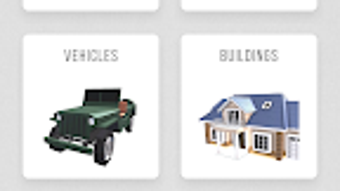
- Perspective Models Library – Access to a curated collection of ready-made 3D models that represent common shapes and structures, allowing users to practice drawing from multiple angles and distances.
- Adjustable Camera Angles – Manipulate the viewpoint in real time to observe how changes in position and orientation affect the visual appearance of objects, reinforcing spatial awareness.
- Grid Lines and Ground Planes – Overlay visual guides that assist in aligning objects, maintaining proportions, and understanding depth and scale in drawings.
- Dolly Zoom Simulation – A unique feature that enables users to experiment with perspective distortion by adjusting focal length and camera distance simultaneously, mimicking cinematic effects.
- Progressive Learning Curve – The app supports both basic and complex perspective challenges, allowing users to advance at their own pace through structured practice.
These capabilities empower artists to visualize abstract concepts in a tangible way. For example, a beginner can use the grid lines to correctly place a cube in one-point perspective, while an advanced user might apply the Dolly Zoom feature to generate dramatic, exaggerated depth in a composition. The integration of low-poly models helps bridge the gap between abstract theory and practical execution, making it easier to transition from sketching to final artwork.
User Interface, Workflow & Performance
The user interface of Zolly is designed with simplicity and functionality in mind, prioritizing intuitive navigation for artists of all levels. Core tools are accessible through a streamlined menu, with minimal clutter to maintain focus on the drawing process. The app uses a touch-based interface optimized for mobile devices, enabling smooth manipulation of camera angles and model positions with finger gestures.
Workflow efficiency is enhanced by the immediate visual feedback when adjusting perspective elements. Users can rotate, zoom, and reposition models in real time, with changes reflected instantly on screen. The app maintains responsiveness during these interactions, though exact performance metrics such as frame rate or CPU usage were not specified by the developer.
Stability during extended use was not detailed in available documentation. However, the app’s lightweight nature—30.5 MB in size—suggests efficient resource utilization. The developer did not provide additional system requirements, so performance may vary depending on device capabilities. General software behavior patterns indicate that the app should operate smoothly on modern Android devices with standard graphics processing support.
Compatibility & System Requirements
Zolly is designed for the Android operating system, with version 1.0.2 currently available. The application has a file size of 30.5 MB, indicating a lightweight footprint that minimizes storage impact. The developer did not specify exact hardware or software requirements beyond the OS platform.
Compatibility information is limited to Android, but no specific version range (e.g., Android 8.0 or higher) was provided. Users should ensure their device supports the latest Android features for optimal functionality. The developer did not list minimum RAM, processor speed, or GPU requirements. As such, exact system compatibility remains unclear. Installation is straightforward, and the app is available for free on the Android platform.
Pros and Cons
Pros
- Free to download and use, making it accessible for students and hobbyists.
- Interactive perspective models support hands-on learning for visual learners.
- Unique Dolly Zoom feature enables creative experimentation with perspective distortion.
- Lightweight size (30.5 MB) ensures minimal storage usage.
- Intuitive interface suitable for both beginners and experienced artists.
Cons
- Exact system requirements were not listed, limiting user confidence in compatibility.
- Performance details such as frame rate or resource consumption were not disclosed.
- Limited to Android platform, excluding users on other operating systems.
- App functionality relies on touch input, which may be less precise than stylus-based tools.
- No information provided about offline capabilities or cloud sync features.
FAQ Section
Is Zolly available for iOS devices?
Currently, Zolly is only available for Android. No information has been provided regarding future support for iOS or other platforms.
Is the app free to use?
Yes, Zolly is free to download and use. There are no in-app purchases or subscription fees mentioned in the available information.
Can I use Zolly offline?
The developer did not specify whether the app requires an internet connection or supports offline usage. Users may need to rely on online features for full functionality.
How often are updates released?
Information about update frequency was not provided. The current version is 1.0.2, released on May 15, 2024.
Is Zolly safe to download?
Zolly is available through official Android channels. As with any app, users should download from trusted sources to ensure security. The developer has not disclosed specific security protocols or data handling practices.
Final Thoughts + CTA
Zolly - Perspective Models stands out as a focused and innovative tool for artists committed to mastering perspective drawing. Its blend of interactive models, adjustable camera views, and creative features like Dolly Zoom simulation offers a unique learning experience that bridges theory and practice. The app’s lightweight design and free access make it an appealing choice for art students, digital creators, and hobbyists alike.
While details on system requirements and performance are limited, the app’s core functionality appears well-suited for mobile-based art education. Its strength lies in transforming abstract concepts into tangible, manipulable visuals—ideal for users who learn best through experimentation.
For anyone looking to enhance their artistic skills with a modern, interactive approach, Zolly delivers value without cost. Download Zolly now to begin your journey in mastering perspective drawing.





.png)

